
Data & Analytics
MedInt Report Downloader
Download many patient reports at once as PDFs, with automatic watermarks
Request a demo or quote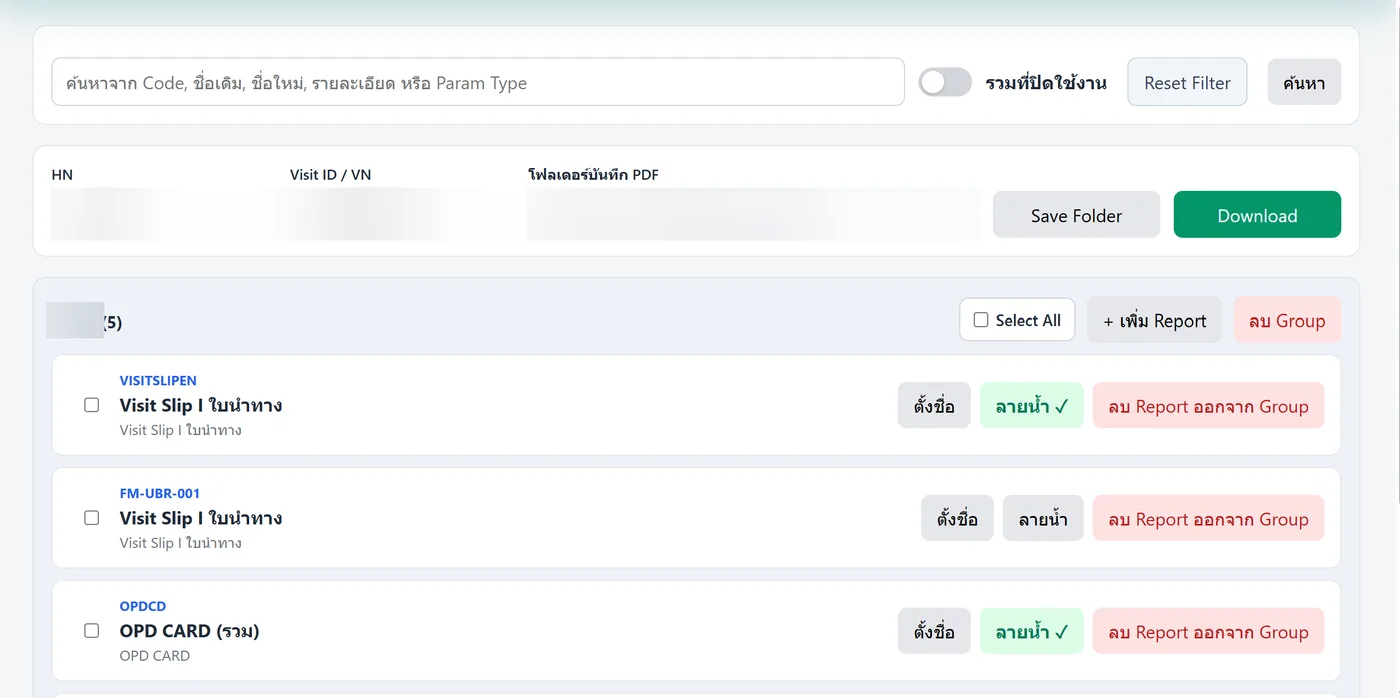
Overview
Downloads many patient reports at once from Centrix HIS. Enter the HN and Visit ID / VN, pick the reports, and each one is saved as a PDF to the folder you choose. Frequently used reports can be grouped, and watermarks can be added, such as a usage notice or the download date and time. Sign in with the same user / password as Centrix.
MedInt Report Downloader is built by the MedInt team. It works with Centrix HIS (MedHIS) and can be tailored to each hospital’s workflow.
Already on Centrix HIS / MedHIS? Add it to your current system →
Key features
- Download many reports at once by HN / Visit ID / VN
- Saved automatically as PDFs to the folder you choose
- Groups of frequently used reports, searchable by code or name
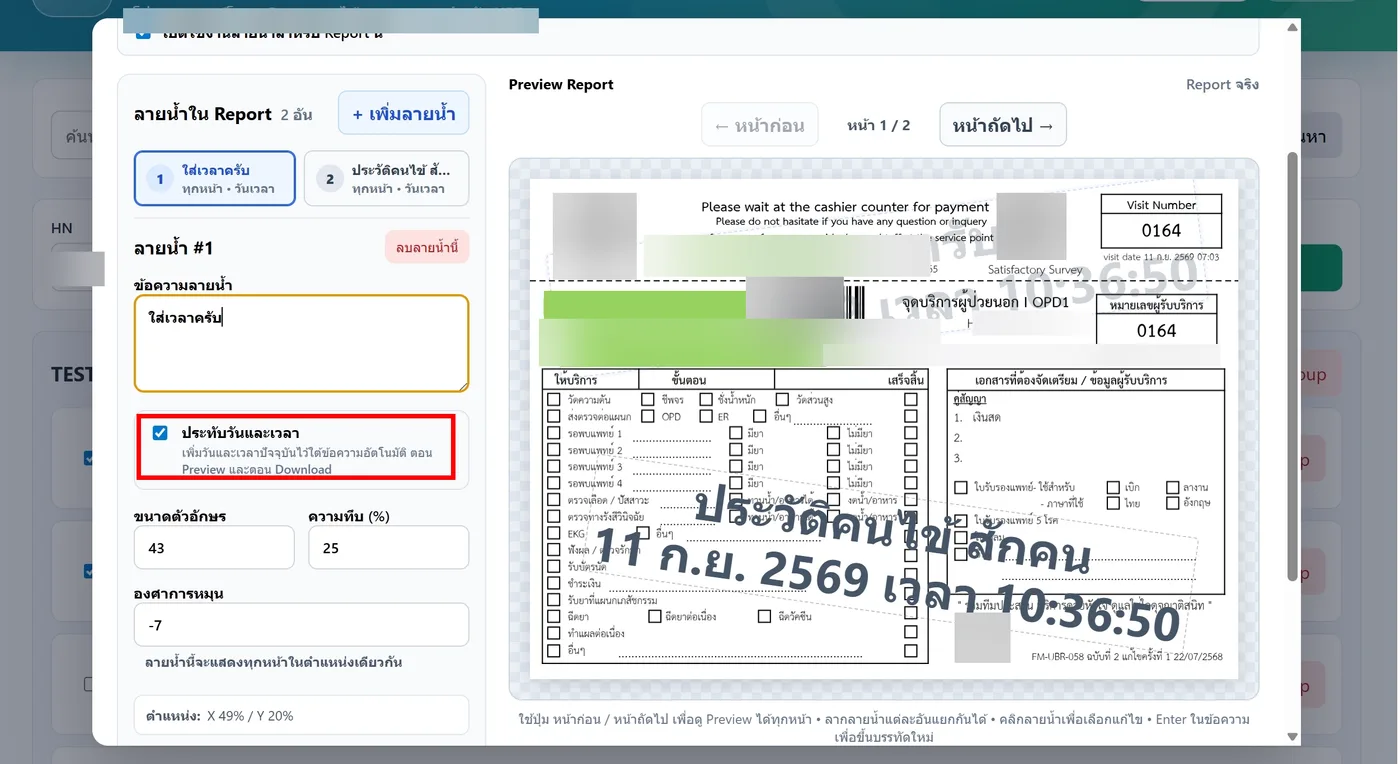
- Multiple watermarks with custom text, size, opacity, angle and position
- Automatic current date and time stamp on reports
- Preview reports with watermarks before downloading
- Sign in with the same user / password as Centrix
Talk to the MedInt team
Free consultation on HIS, add-ons or your hospital IT project.